
Karo.bot vs Tasks.Bot for Slack Automation AI Tools
Your team lives in Slack, but your field crews do not. Assigning tasks across two apps means updates get lost, reminders go unread, and attendance tracking turns into guesswork.
This comparison looks at Karo.bot and Tasks.Bot as Slack automation AI tools, then covers how Tasks.Bot handles tasks through WhatsApp without new accounts. You will see its AI voice notes, GPS tracking, face-verified attendance, pricing, and who benefits most.
What Is Tasks.Bot? A WhatsApp-Native Task Management Platform
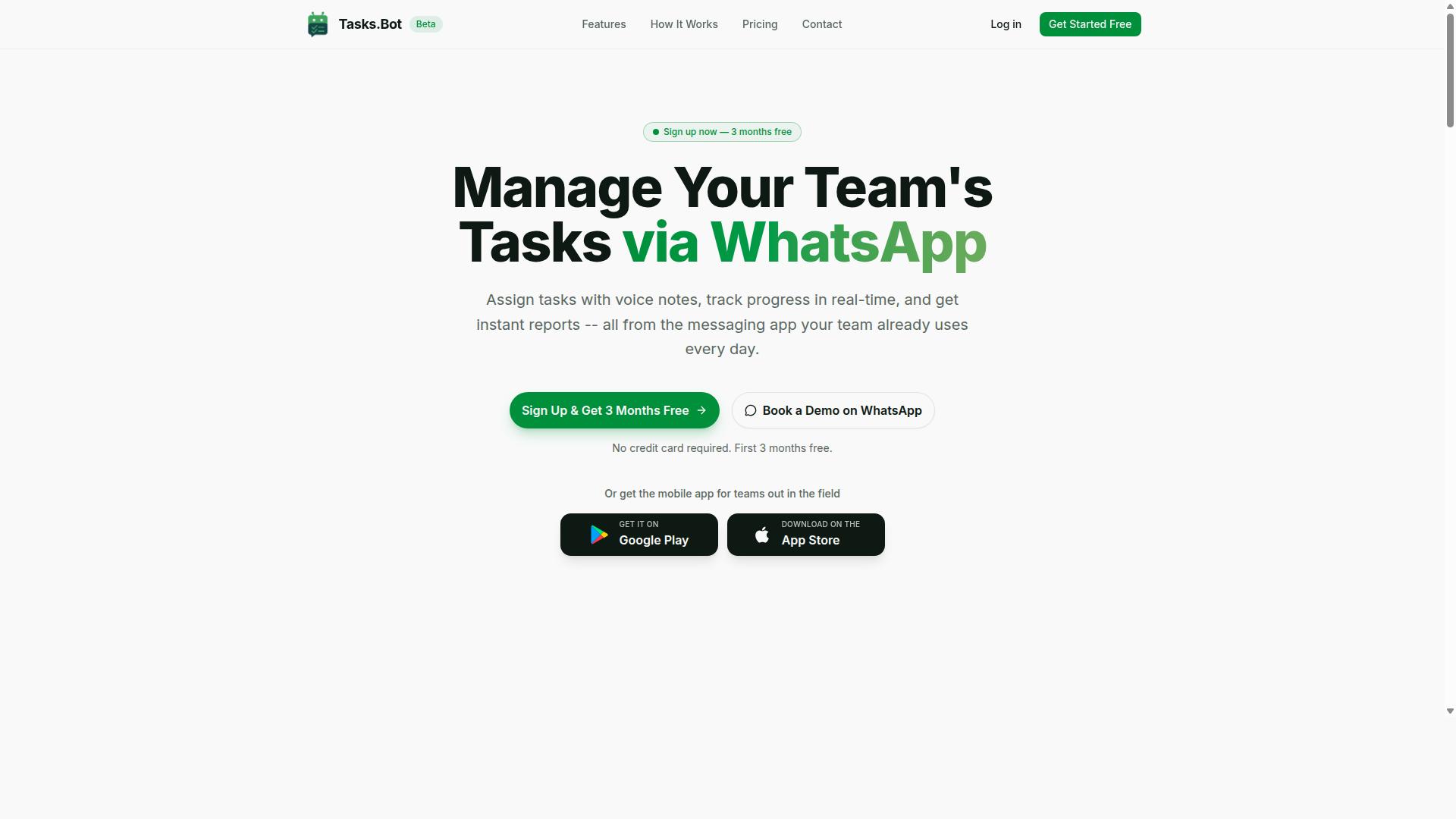
Tasks.Bot is a task management platform that operates entirely within WhatsApp, enabling teams to assign tasks, track progress, and receive reports without leaving the messaging app. Instead of asking a team to adopt yet another dashboard or project management suite, it meets people inside the chat app they already open dozens of times a day.
That design choice separates it from the wave of Slack-based automation tools. Where a Slack bot lives inside a Slack workspace, Tasks.Bot is built around WhatsApp as its primary surface. For teams whose daily coordination already happens in WhatsApp groups, this removes the awkward split between "the chat where work gets discussed" and "the tool where work gets tracked."
Tasks.Bot is offered as a SaaS product and is currently in beta with a free trial period available. Alongside the WhatsApp experience, it provides a mobile app for field teams, which matters for crews working on-site rather than at a desk.
Two practical points stand out for anyone weighing it against Slack-first alternatives:
- No new accounts required. Team members use their existing WhatsApp identity rather than registering for a separate platform.
- No app installation required to participate. The core workflow runs through WhatsApp itself, with the mobile app as an addition rather than a prerequisite.
This low-friction entry point is the defining trait of Tasks.Bot. The next section explains the mechanics behind it.
How Tasks.Bot Works Without Slack or New Accounts
Tasks.Bot leverages the WhatsApp interface that teams already use daily, eliminating the need for Slack or additional software adoption. There is no workspace to provision, no channel structure to design, and no onboarding sequence for people who simply want to know what they are supposed to do next.
The interaction model is conversational. Users create tasks by sending messages in a WhatsApp chat, and the platform uses artificial intelligence to understand user intent and turn those messages into structured tasks. Natural language processing means a plain sentence describing a job can become a tracked item without form-filling.
Voice notes work the same way. Tasks.Bot supports voice note task creation, which suits field teams, drivers, and anyone whose hands are busy. A spoken instruction becomes a task rather than a message someone has to interpret later.
From there, the platform handles the follow-through:
- Automatic task assignment routes work to the right person.
- Smart deadline reminders keep due dates visible without manual chasing.
- Approvals and automations handle sign-off steps.
- Instant reports give managers a view of progress.
Tasks.Bot also includes tasks on a map, a live day tracker, face-verified attendance, and shifts, leave, and hours management. The Android and iOS apps add push notifications, voice capture, and a home screen widget. Because everything runs through native WhatsApp integration, adoption depends on a chat app rather than a new Slack integration rollout. For teams comparing it with a Slack automation tool like Karo.bot, the trade-off is surface area: Tasks.Bot trades the Slack ecosystem for the reach of WhatsApp.
Karo.bot vs Tasks.Bot: Which Fits Slack Automation AI Tools?
When evaluating Slack automation AI tools, it's important to understand that Tasks.Bot is not a Slack bot but a WhatsApp-native platform, while Karo.bot is designed specifically for Slack. This distinction shapes everything about how each tool works, who it serves, and where it belongs in your stack.
Karo.bot focuses on the Slack workspace itself. It typically operates as a chatbot that responds to Slack commands and interactive messages, helping teams create a to-do list, set reminders, and manage task assignment without leaving their channels. Its value comes from staying inside Slack's ecosystem, using the Slack API and features like buttons, modals, and app home to keep work visible where conversations already happen.
Tasks.Bot takes a different path entirely. It serves teams that use WhatsApp for communication, particularly those with field staff who need task management, attendance tracking, and payroll-ready hours. There is no Slack integration, and that is a deliberate design choice rather than a gap.
Because of this, the two are not direct competitors for Slack automation. If your priority is a Slack-native bot, Karo.bot is built for that environment. If your priority is reaching workers who live in WhatsApp, Tasks.Bot is built for that one. The comparison matters most for organizations that run both platforms side by side.
| Dimension | Karo.bot | Tasks.Bot |
|---|---|---|
| Primary platform | Slack | |
| Slack integration | Yes, Slack-centric | No |
| Target audience | Slack workspace teams | Teams using WhatsApp, especially with field staff |
| Core focus | Slack commands, reminders, task workflows | Task management, attendance tracking, payroll-ready hours |
For teams evaluating Slack automation AI tools, the honest answer is that Tasks.Bot should not be shortlisted as a Slack bot. It belongs in a different part of the conversation, one about reaching workers who may never open Slack at all.
Where Tasks.Bot Fits in a Slack-Centric Automation Stack
For organizations that rely on Slack as their primary communication hub, Tasks.Bot can serve as a specialized tool for field teams who may not have access to Slack. Office staff coordinate in channels while field workers receive and complete tasks through WhatsApp, the app already on their phones.
This setup fits a common pattern. A construction crew, delivery team, or maintenance staff rarely sits at a desk, so a Slack workspace is not where they work. Tasks.Bot covers what they actually need: task management, attendance tracking, and payroll-ready hours, all handled through the messaging app they use every day.
Tasks.Bot does not work together with Slack, so no automatic sync exists between the two. In practice, teams bridge the gap manually. A supervisor can copy status updates, completion counts, or attendance summaries from Tasks.Bot into a Slack channel or a shared doc. The tools coexist rather than connect.
That manual step is worth weighing honestly. If your workflow demands that every task flow into Slack automatically, Tasks.Bot is the wrong fit. If your real problem is that field staff never see the tasks your Slack team assigns, the manual bridge is a small cost for closing that gap.
The site mentions hundreds of teams already using the service, which suggests this pattern is common rather than niche. Consider a practical example:
- Project managers plan work and assign owners in Slack.
- Field supervisors relay assignments to crews through Tasks.Bot on WhatsApp.
- Crews mark tasks complete and log hours in WhatsApp.
- A coordinator posts a daily summary back into a Slack channel for visibility.
Each tool stays in its lane. Slack handles team collaboration for connected staff. Tasks.Bot handles task management and reporting for people on the move. Neither replaces the other, and neither pretends to.
For teams that use both WhatsApp and Slack, this complementary approach is often more practical than forcing every worker onto one platform. The deciding question is simple: where do your people actually communicate? Put your automation there.
Key Features and What Makes Tasks.Bot Stand Out
Tasks.Bot offers a robust set of features designed to streamline task management for teams that operate via WhatsApp. Instead of asking a team to learn a new dashboard, it turns the messaging app they already use into the workspace where work gets assigned, tracked, and closed out.
Its core capabilities cover the full task lifecycle. That includes voice note task creation, automatic task assignment, smart deadline reminders, approvals and automations, instant reports, and tasks on a map. Field-focused tools such as a live day tracker and face-verified attendance round out the picture.
Two things separate Tasks.Bot from a typical chatbot. First, it uses artificial intelligence to understand user intent, meaning tasks can be created from natural language rather than rigid bot commands. Second, everything runs natively inside WhatsApp, so team members install nothing and create no new accounts.
Android and iOS apps add push notifications, voice capture, and a home screen widget for people who work away from a desk. Enterprise-grade encryption protects conversations and task data, which are never shared or used for training. A 3-month free trial with no credit card required lets teams evaluate the fit before committing.
AI Voice Notes, Smart Reminders, and Automations
Tasks.Bot uses AI to interpret natural language and voice notes, allowing users to create tasks simply by speaking or typing in WhatsApp. A message that describes what needs doing becomes a structured task.
Beyond creation, Tasks.Bot handles the follow-through:
- Smart deadline reminders that keep due dates visible without manual chasing
- Approvals so sign-off happens before work moves forward
- Instant reports that summarize activity on demand
Because these automations live inside WhatsApp, they fit the way teams already communicate. There is no separate task management tool to check, which is often where to-do lists quietly die.
Field Team Tools: GPS Tracking, Face-Verified Attendance, and Live Day Tracker
Tasks.Bot includes specialized tools for field teams, such as GPS tracking, face-verified attendance, and a live day tracker. These features are available through the mobile app and connect directly to the task and reporting layer, so field activity and office visibility stay in sync.
Each tool answers a different question a manager needs answered:
- GPS tracking confirms where field work is happening, supporting tasks on a map
- Face-verified attendance handles clock-in and clock-out with identity confirmation
- Live day tracker shows progress across the day as it unfolds
Together they close a common gap. A task can be marked complete, but without location and attendance context, managers are left guessing whether the work happened where and when it was supposed to.
For supervisors overseeing remote or distributed staff, the benefit is real-time visibility rather than end-of-week reconstruction. Attendance records, location data, and task status feed into the same reporting that covers the rest of the workflow, including shifts, leave, and hours management.
Because these tools sit inside the mobile app rather than a separate system, field staff get one place to clock in, receive tasks, and report back. That simplicity is usually what determines whether field software actually gets used.
Pricing and Plans
Tasks.Bot offers a straightforward pricing model with a single 'Full Access' plan that includes all features. There are no confusing tiers, add-on packs, or feature gates to compare before you can decide. That simplicity matters for teams evaluating Slack automation AI tools, because pricing clarity often gets lost in tiered structures.
Pricing is shown in both Indian Rupees and US Dollars, and the site provides a 'Select currency' option so users can view rates in their preferred denomination. Billing is available on a monthly or annual basis, giving teams flexibility in how they commit.
Every price is calculated per member, so costs scale directly with how many people need access. New users can also try the product through a free trial before committing to a paid plan.
The sections below break down the exact rates, what the free trial includes, and how availability works for teams anywhere in the world.
Full Access Plan, Free Trial, and Global Availability
The Full Access plan is priced at ₹200 per member per month or ₹1,200 per year per member, with equivalent USD pricing available. Choosing the annual option saves 50%, which works out to ₹1,200 saved per year for each member on the plan.
Everything Tasks.Bot offers sits inside this one plan. There is no separate upgrade path, no premium tier holding back functionality, and no per-feature charge. For teams comparing Slack bots for task management, that single-plan structure removes a layer of budgeting guesswork.
New users receive 3 months free, with no credit card required and the option to cancel anytime. That gives a team a real stretch of time to test task assignment, due dates, reminders, and recurring tasks before any payment begins.
Tasks.Bot is a SaaS product accessible via WhatsApp and mobile apps, with no country restrictions. Teams can use it wherever they operate, and the dual-currency display supports that global reach.
- Monthly: ₹200 per member
- Annual: ₹1,200 per member, saving 50%
- Free trial: 3 months free, no credit card required
- Cancellation: available anytime
If you want to see how the plan fits your team, booking a demo on WhatsApp is a simple first step. It lets you ask questions about setup and pricing directly before deciding.
Trust Signals and Track Record
Tasks.Bot is currently in beta but already used by hundreds of teams, indicating early traction and reliability. That combination matters in the Slack automation space, where a Slack bot only becomes useful once a real Slack workspace depends on it daily.
Adoption by hundreds of teams signals that the product solves a genuine problem: turning conversations into structured task management without leaving WhatsApp. For anyone comparing AI tools for workflow automation, real usage is a stronger trust signal than marketing claims.
Beta status is worth understanding rather than fearing. It means the platform is under active development, with improvements shipping regularly. Early adopters often get a direct say in how features evolve, which is a meaningful advantage for teams with specific task management needs.
Tasks.Bot also offers several concrete trust signals beyond adoption numbers:
- Book a Demo on WhatsApp: a personalized onboarding option that lets prospective users ask questions and see the tool in context before committing.
- Refund policy: mentioned in the site footer, giving teams a safety net if the product does not fit their workflow.
- Copyright year 2026: a sign of ongoing commitment and continued investment in the platform.
Together, these signals point to a product that is transparent about its stage and serious about earning long-term users. For teams weighing Slack automation options, Tasks.Bot presents a credible, low-risk way to bring AI-powered task management into their WhatsApp workflow.
Who Should Use Tasks.Bot
Tasks.Bot is ideal for teams that rely on WhatsApp for communication, especially those with field staff who need task management, attendance tracking, and payroll-ready hours. It fits organizations that want the benefits of a task management system without asking employees to adopt a new app.
Field workers rarely sit at a desk, and many are not comfortable switching between multiple productivity tools. Tasks.Bot meets them where they already are: inside WhatsApp. That single decision removes one of the biggest barriers to adoption, since no new app install or training is required for the people doing the work.
The site notes that hundreds of teams already use the service, which suggests the approach works across different sizes and industries rather than only for a narrow niche.
Teams that tend to get the most value include:
- Construction crews coordinating site tasks, shift attendance, and daily progress
- Delivery teams assigning routes, confirming completed drops, and logging hours
- Field sales staff tracking visits, follow-ups, and time spent with clients
- Maintenance and service teams handling recurring jobs, due dates, and work reports
These groups share the same pain points. Task instructions get lost in chat threads, attendance is tracked on paper or not at all, and hours have to be reconstructed later for payroll. Tasks.Bot addresses each of these by turning everyday WhatsApp messages into structured tasks, attendance records, and reports.
Small teams benefit because there is nothing to configure or roll out. Larger organizations benefit because the same simple interface scales across many workers without a heavy onboarding program. Managers keep visibility, and staff keep using a tool they already know.
If your team lives in WhatsApp and your work happens outside an office, Tasks.Bot is built for you. It is a practical fit for anyone who wants task assignment, attendance tracking, and reporting without forcing a new habit on the workforce.
Final Verdict: Tasks.Bot for Slack Automation AI Tools
Tasks.Bot is not a Slack automation tool, but it excels as a WhatsApp-native task management platform for teams that prefer or require WhatsApp for communication. That distinction matters when comparing it against Karo.bot, which is built for Slack workspaces. Choosing between them is less about which product is better overall and more about which messaging channel your team already lives in.
For Slack-centric organizations, Karo.bot and similar Slack bots make sense because they operate inside channels, slash commands, and interactive messages that employees already use daily. Tasks.Bot takes a different path. It brings task management, reminders, scheduling, and notifications into WhatsApp, where field teams, sales crews, and remote workers often spend more time than they do in any Slack workspace.
The practical takeaway is straightforward. If your workflow automation depends on Slack integration, app home views, modals, and bot commands, a dedicated Slack bot fits that environment. If your team coordinates through WhatsApp, Tasks.Bot removes the friction of forcing everyone into a second app just to manage a to-do list or assign due dates.
Tasks.Bot's strengths center on its channel choice and its focus. It handles task assignment, due dates, reminders, and reporting through a chatbot interface. Because WhatsApp is already on nearly every phone, adoption tends to be faster for teams that resist installing yet another productivity tool.
On pricing and audience, Tasks.Bot targets teams that need lightweight project management without a heavy learning curve. It suits small businesses, field operations, and distributed crews that value simplicity over deep Slack API customization. For pure Slack automation, Karo.bot remains the more natural fit, but the two can complement each other in a mixed stack.
To learn more or book a demo, reach out directly:
- Phone: +91 97143 42522
- Email: [email protected]
Final verdict: Tasks.Bot is a strong, focused choice for WhatsApp-based task management and a poor fit if you need Slack-native automation. Match the tool to your team's primary communication channel, and the decision becomes clear.
Frequently Asked Questions
What makes Tasks.Bot different from other Slack automation tools?
Tasks.Bot is a task management platform built around WhatsApp, so your team can assign tasks, track progress, and get reports without leaving the messaging app they already use. It also offers a mobile app for field teams, plus AI that understands natural language and voice notes for task creation. If your team lives in WhatsApp, Tasks.Bot keeps everything in one place instead of adding another tool to the stack.
Does Tasks.Bot work with Slack, or is it WhatsApp-only?
Tasks.Bot operates entirely within WhatsApp, with an additional mobile app for field teams. Team members don't need to install anything new or create separate accounts to get started. If your workflows run on Slack, it's worth checking whether Tasks.Bot's WhatsApp-first approach fits how your team actually communicates.
How much does Tasks.Bot cost?
Tasks.Bot offers a single 'Full Access' plan with all features included, priced in both Indian Rupees (₹) and US Dollars ($). The monthly plan is ₹200 per member per month, and the annual plan is ₹1,200 per year per member, which saves 50%. There's also a 'Book a Demo on WhatsApp' option if you want to see it in action first.
What features does Tasks.Bot include?
Tasks.Bot covers voice note task creation, automatic task assignment, smart deadline reminders, approvals and automations, instant reports, tasks on a map, and live day tracking. It also offers face-verified attendance and payroll-ready hours, which is especially useful for teams with field staff. Everything is included in the Full Access plan.
Who is Tasks.Bot best suited for?
Tasks.Bot is designed for teams that already use WhatsApp for communication, particularly those with field staff who need task management, attendance tracking, and payroll-ready hours. Hundreds of teams are already using the service, which is currently in beta. If your team coordinates over WhatsApp, Tasks.Bot fits naturally into that workflow.
How do I get started with Tasks.Bot, and is it available in my country?
Tasks.Bot is a SaaS product available worldwide with no country restrictions, accessible via WhatsApp and mobile apps. You can book a demo directly on WhatsApp to see how it works for your team. For questions, reach out at [email protected] or +91 97143 42522.
Recommended Resources: