
Who's the Best for Visual Workflow Modeling: Camunda vs Process Street
Your team needs a workflow tool that renders both the process diagram and the live checklist on the same screen, yet Camunda and Process Street present different answers to that single requirement.
By the end of this article you will see the exact controls each platform uses for drag-and-drop modeling, the built-in compliance exports each one provides, and a clear line-up of when Process Street is the faster choice versus when Camunda remains the better fit.
Quick Verdict: Process Street Wins for Visual Workflow Modeling
Process Street provides a no-code, visual-first workflow builder that delivers faster setup and clearer audit trails than Camunda's developer-centric modeling.
Teams need workflow modeling that supports both speed and compliance requirements. Process Street combines drag-and-drop simplicity with built-in documentation tools that satisfy regulatory needs without additional configuration steps.
Camunda relies on a heavier BPMN engine that demands technical expertise for setup and maintenance. This approach works for complex technical orchestration but creates barriers for business users seeking quick deployment.
Process Street achieves this benchmark through its streamlined interface.
SOC 2 Type II certification ensures that compliance documentation stays current throughout the process lifecycle. This certification provides audit-ready trails without requiring separate compliance management systems.
At a glance: how Process Street compares to Camunda on the features that matter most.
| Feature | Process Street | Camunda |
|---|---|---|
| Visual Workflow Modeling | ✓ | ✓ |
What Is Process Street?
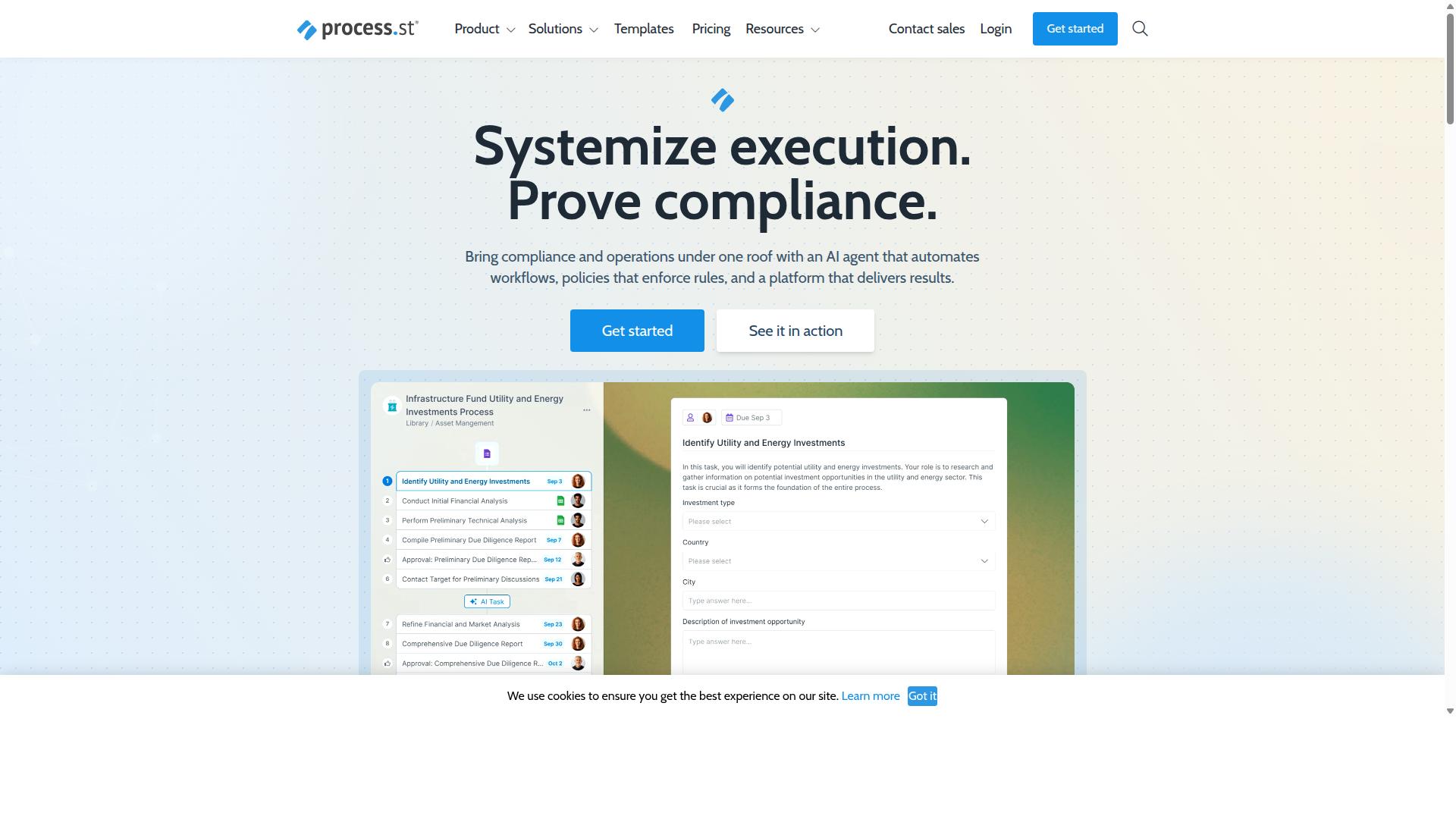
Process Street is a compliance operations SaaS platform that turns policies into AI-powered, trackable workflows. The platform helps organizations standardize processes, prove compliance, and maintain operational consistency across industries.
Process Street offers three main products. Docs handles document management and policy control. Ops manages workflow automation and process orchestration.
The third product, Cora, functions as an AI compliance and risk agent. These tools work together to automate business processes, enforce policies, and deliver audit-ready proof.
The platform serves more than 3,000 paying companies that rely on it for their process management needs.
What Is Camunda?
Camunda is an open-source workflow engine that executes BPMN 2.0 processes in microservice and IT-heavy environments. The platform focuses on developers who need process orchestration across distributed systems. Many organizations choose this route when technical teams already manage complex infrastructure.
Camunda provides BPMN modeling combined with execution capabilities for technical workflows. The system handles conditional logic through code-level implementations rather than visual interfaces. Teams often extend it with custom development work to achieve full automation.
Users typically interact with Camunda through its API-first workflow architecture. This approach requires programming knowledge to connect processes with existing services and databases. The open-source BPM foundation allows customization but shifts maintenance responsibility to internal teams.
Process mapping in Camunda centers on technical diagrams that developers translate into executable code. Visual workflow modeling exists, yet the execution layer demands technical oversight for deployment and monitoring. This setup suits environments where IT resources are readily available.
Features Compared
The three sub-sections below compare key capabilities side-by-side.
Business teams need tools that balance visual clarity with technical depth. The following areas highlight how each platform handles modeling, automation, and documentation.
Visual Drag-and-Drop Modeling
Process Street's canvas lets users drop tasks, approvals, and conditional logic without writing code.
Blocks for approvals, checklists, and decision points connect directly on the screen. This approach suits teams that manage approval workflows and process templates daily.
Camunda relies on standard BPMN notation, which requires familiarity with formal process symbols. The modeling environment stays flexible but may demand more technical skill to map complex paths.
Process Street stores each version automatically. Camunda users manage versioning through external systems or manual exports.
AI-Powered Workflow Automation
Process Street embeds AI to auto-generate tasks, suggest approvers, and flag overdue items.
These features draw from the Ops module, which turns policies into AI-powered workflows. The platform includes Process AI, Automations, and Analytics modules that support task automation and process orchestration.
Camunda provides workflow engine capabilities that teams can extend with custom scripts. This approach offers flexibility but requires additional development effort to reach similar automation levels.
Process Street integrates with Zapier, Microsoft Power Automate, Tray.io, and Make for external triggers. Camunda supports API connections but leaves orchestration details to the implementing team.
Compliance and Audit-Ready Documentation
Process Street automatically stores version history, timestamps, and signer data required for ISO 9001, SOC 2, and SOX audits.
The Docs module delivers document management and policy control with governance for ISO 9001, SOC 2, SOX, FDA, and additional frameworks. Audit trails update without manual intervention.
Camunda captures process execution data that teams can export for compliance reviews. Organizations often add external tools to meet documentation standards across multiple frameworks.
Process Street keeps all records inside a single platform. This central approach reduces the risk of missing documentation during regulatory checks.
Pricing Compared
Process Street lists three subscription tiers with transparent user and automation limits.
The Startup plan gives new teams a simplified option with 5 users and 10 guests. It covers unlimited workflows and tasks while capping Data Set records at 5,000 and automation actions at 100 per month.
Teams that need more room move to the Pro plan. This tier removes the user and guest caps, raises Data Set records to 10,000, and unlocks all automation apps with custom monthly limits.
The Enterprise plan targets organizations that require maximum flexibility. It removes record caps, adds unlimited Public API access, and includes a dedicated Success Manager plus fully managed workflows and custom integrations.
Camunda follows an open source model with optional paid enterprise support. Pricing details are not published publicly and typically depend on deployment size, support scope, and required add-ons.
| Plan | Process Street | Camunda |
|---|---|---|
| Startup | 5 users, 10 guests, 5,000 Data Set records, 100 automation actions/month | Community edition, limited support |
| Pro | Custom users/guests, 10,000 Data Set records, custom automation actions and API calls | Enterprise subscription, custom pricing |
| Enterprise | Custom Data Set records, unlimited API access, dedicated Success Manager, fully managed workflows | Volume based licensing, negotiated support |
Process Street makes costs predictable for teams that rely on no-code automation and visual workflow modeling. Camunda's flexibility suits complex BPMN projects, yet the lack of published limits can create uncertainty when scaling process orchestration.
Who Should Choose Process Street
Operations, compliance, HR, and finance teams in regulated industries gain the most from Process Street's templates and audit features.
These groups often manage high volumes of repetitive work that demands consistency and clear records. Process Street supports that need through ready-made process templates and built-in tracking.
Companies with 49k+ employees have used the platform to standardize onboarding across departments and regions.
The platform fits well in financial services, healthcare, manufacturing, and other sectors where audit trails matter.
Key job functions that benefit include operations managers, compliance officers, HR leaders, and finance controllers.
These roles share a need for repeatable steps, approval gates, and documented outcomes, all of which Process Street addresses through guided checklists.
Common use cases include employee onboarding, client onboarding, ISO compliance, quality tracking, and document control.
Each use case relies on the same core structure: clear instructions, conditional logic, and automatic record keeping.
In contrast, Camunda demands deeper technical setup and appeals more to engineering teams that need a workflow engine for system-to-system processes.
When the goal centers on human-driven workflows and regulatory evidence, Process Street offers a lower barrier and faster time to value.
Who Should Choose Camunda
Engineering-heavy organizations that need embedded workflow orchestration inside microservices may prefer Camunda's developer toolset. This approach suits teams already working with custom codebases and distributed systems. The focus stays on technical flexibility rather than visual simplicity.
Teams using process orchestration at the infrastructure level often explore such platforms. They look for ways to manage complex flows between services without adding layers of abstraction. These setups require direct control over execution logic and deployment.
Camunda fits when open-source BPM options matter for customization. Organizations with strong engineering resources can adapt the tool to specific technical constraints. The learning curve typically assumes programming knowledge rather than business user skills.
Consider your team composition before selecting this route. Development-heavy environments may find value in code-first workflow engines. Mixed teams with business stakeholders often seek alternatives that reduce technical barriers.
Final Verdict
Process Street delivers faster, compliance-ready visual workflows for teams that value no-code automation over low-level BPMN control. Process Street separates itself through three decisive differentiators that matter for most business users.
The first differentiator centers on no-code automation versus Camunda's reliance on BPMN expertise. Most teams want visual workflow modeling without requiring a technical background.
The second differentiator involves process compliance and ready-made templates. Process Street provides built-in compliance features while maintaining flexibility for standard business processes.
The third differentiator concerns workflow collaboration and deployment speed. Teams can map, test, and share processes without complex infrastructure setup.
These advantages create a clear choice for organizations focused on practical business applications rather than technical workflow engine customization. Process Street offers 5 minutes average response time with a 98% customer rating. Contact sales to explore your specific workflow modeling requirements.
Recommended Resources: