
Invoice Processing Automation Software Cost: Pricing Guide for 2026
Your invoice software quote hides three fees that never appear in the demo. Per-document pricing punishes busy months, and OCR overage charges arrive after year-end close. Knowing the real 2026 cost before you sign changes what you negotiate.
This guide breaks down per-document, per-user, and flat monthly pricing, plus the setup and integration costs to budget for. You will see Tasks.Bot's full access plan in rupees and dollars, how its 3-month free trial and WhatsApp workflows compare with typical invoice automation pricing, and who should actually use it.
What Is Tasks.Bot? WhatsApp-Native Task and Invoice Workflow Automation
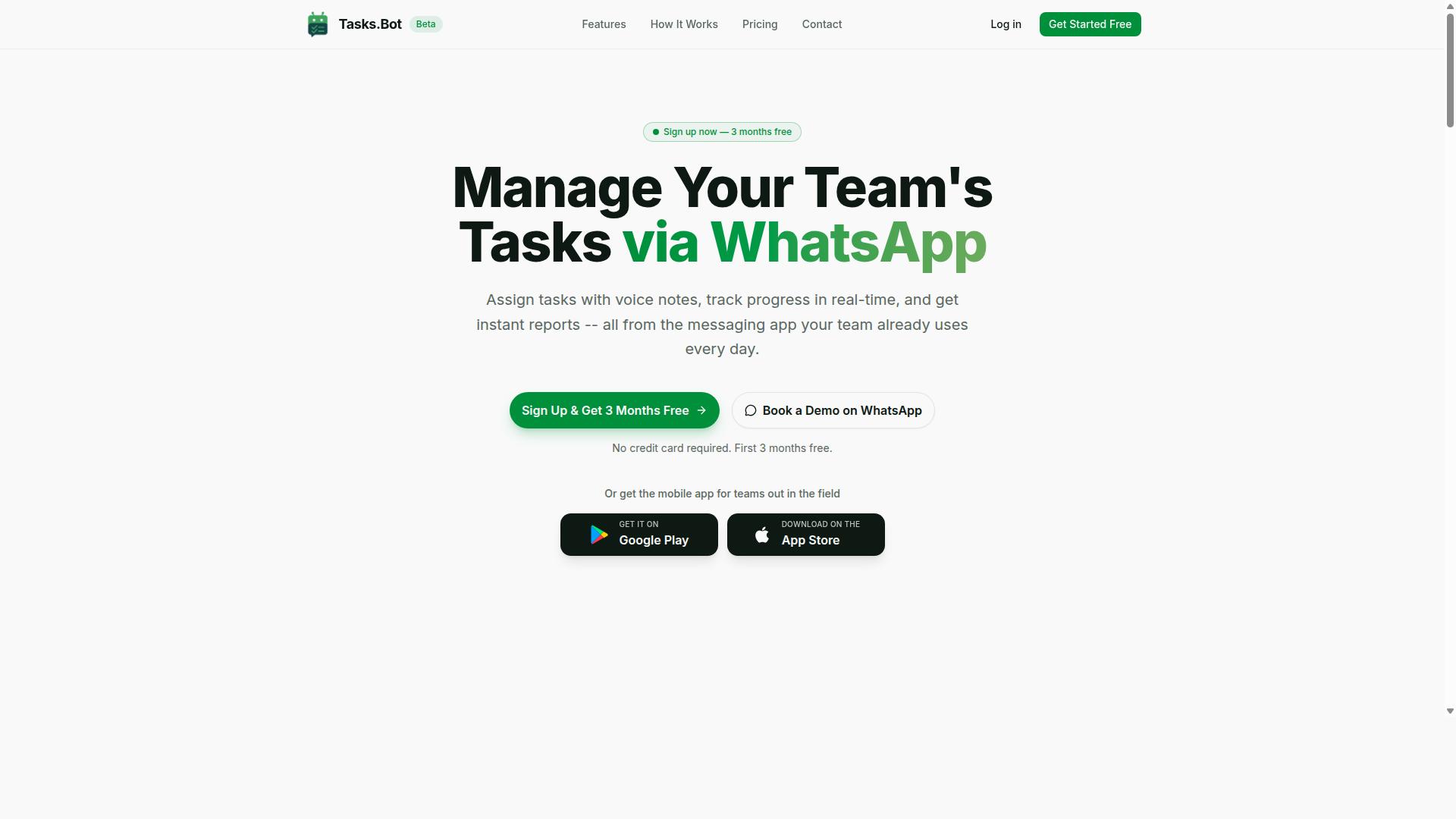
Tasks.Bot is a task management platform that operates entirely within WhatsApp, enabling teams to assign tasks, track progress, and receive reports without leaving the messaging app. For finance and operations teams, that same conversational layer extends into invoice-related workflows, so a payment query, an approval request, or a follow-up on a missing document can be handled in the same thread where work already happens.
This matters for invoice processing automation because the biggest cost driver is rarely the software itself. It is the change management burden of rolling out yet another portal that vendors, approvers, and field staff must learn. A WhatsApp-native approach sidesteps much of that friction, since the interface is already familiar to almost everyone involved.
Tasks.Bot uses AI to understand natural language and voice notes when creating tasks. A team member can describe what needs to happen in plain speech or a short message, and the platform interprets it rather than requiring a rigid form. This is a meaningful difference for invoice workflow automation, where requests often arrive informally: a supplier chases a payment, a manager flags a mismatched amount, or a site lead reports a missing receipt.
For teams working away from a desk, Tasks.Bot also offers a mobile app for field teams. That gives on-site staff a way to log invoice-related tasks, confirm deliveries tied to a purchase order, or respond to approval requests without returning to a laptop.
One of the more practical advantages is what team members do not have to do. They do not need to install anything or create new accounts to take part. Vendors, approvers, and contractors can be brought into a workflow through the messaging app they already use, which shortens onboarding and reduces the number of people who quietly drop out of an approval chain.
Tasks.Bot is currently in beta and is used by hundreds of teams, and it offers a free trial period. For a buyer weighing invoice processing automation software cost, that combination is worth noting. A free trial lets a finance team test how well conversational task handling fits its approval routing and exception handling before committing to a paid subscription tier.
Where Tasks.Bot fits in the wider AP stack is best understood as the coordination layer rather than the ledger. Full accounts payable automation platforms typically handle invoice OCR, automated data extraction, three-way matching, and ERP integration. Tasks.Bot complements that world by keeping the human follow-up, the approval nudge, and the exception chase inside a channel people actually check.
- Task assignment and progress tracking inside WhatsApp, with no separate login for participants
- Natural language and voice note input, interpreted by AI rather than typed into fixed fields
- A mobile app for field teams, so remote staff can act on invoice-related tasks
- Reporting delivered in the messaging app, keeping status visible without a dashboard visit
For an organization comparing cloud-based AP solutions, the question is not whether Tasks.Bot replaces a dedicated AP invoice software suite. It does not claim to. The question is whether the coordination overhead around invoices, the reminders, sign-offs, and queries that sit outside the system of record, is currently costing more in staff time than it should. A WhatsApp-native tool addresses that specific slice of the problem.
Because it is in beta, teams evaluating it for 2026 budgeting should treat it as a low-commitment addition rather than a core platform replacement. The free trial period allows a pilot with a small group before any subscription cost is incurred, which is a sensible way to measure whether conversational invoice workflow automation reduces the back-and-forth your finance team handles today.
Does Tasks.Bot Solve Invoice Processing Automation? What It Does and Doesn't Do
Tasks.Bot is not a dedicated invoice processing automation platform, but it can streamline invoice-related tasks such as approvals, reminders, and reporting within WhatsApp. Understanding where it fits, and where it does not, helps finance teams decide how to use it alongside a full accounts payable automation stack.
Invoice processing automation typically covers a specific chain of technical work: invoice OCR, automated data extraction, intelligent document processing, three-way matching, duplicate invoice detection, and touchless processing. Tasks.Bot does not perform any of these functions. It will not read a PDF invoice, pull line items into your ERP, or reconcile a purchase order against a receipt and a bill.
That distinction matters when you are budgeting for 2026. If your goal is hands-off invoice capture and matching, you need a cloud-based AP solution with accounting system integration. Tasks.Bot is not that product, and it does not claim to be.
What Tasks.Bot does well is the human layer around invoice workflow automation. Its verified capabilities include:
- Voice note task creation, so a quick spoken message becomes a tracked task
- Automatic task assignment to the right team member
- Smart deadline reminders for items that cannot slip
- Approvals and automations, useful for invoice approval routing
- Instant reports on task and status activity
- Native WhatsApp integration, plus Android and iOS apps with push notifications
Consider how these fit real AP work. A finance lead can send a voice note to create an invoice approval task for a specific bill, and Tasks.Bot uses AI to understand intent and turn that message into an assigned task. When several invoices sit pending, smart deadline reminders nudge the approvers without anyone chasing them manually. At month end, instant reports give a view of invoice status across the team.
These same features support exception handling. When an invoice fails three-way matching in your AP invoice software, someone still has to investigate it. Tasks.Bot can carry that follow-up as an assigned task with a deadline, keeping the exception from disappearing into an inbox.
The honest framing is this: Tasks.Bot is a complementary tool, not a replacement for invoice processing automation software. Pair it with a system that handles OCR and automated data extraction, and you cover both the document side and the people side of accounts payable. Use it alone, and you still have a reliable way to route approvals, track pending invoices, and report on what is stuck. For teams already working in WhatsApp, that coordination layer often costs far less than adding another full AP module, which makes it a practical companion rather than a competing line item in your 2026 budget.
What Invoice Processing Automation Software Actually Costs in 2026
Invoice processing automation software in 2026 typically ranges from $0.10 to $5 per invoice, or $50 to $500 per user per month, depending on the model and volume. That spread is wide because the category itself is wide, covering everything from lightweight invoice OCR tools to full accounts payable automation platforms with three-way matching and ERP integration.
Three variables drive most of the difference. The first is feature depth, since basic automated data extraction costs far less than a system that handles invoice approval routing, duplicate invoice detection, and exception handling. The second is processing volume, because most vendors price against monthly document counts. The third is deployment, as a cloud-based AP solution is usually cheaper to start than an on-premise setup with custom configuration.
Pricing structures also vary by vendor type. Some charge per document, some per user, and some bundle a set volume into a flat monthly fee. Many combine two or three of these into tiered subscription plans, which is why two companies with similar invoice counts can receive very different quotes.
This guide breaks down each pricing model, the setup and integration charges that sit outside the subscription, and the overage fees that appear once volume grows. The goal is a realistic total cost of ownership figure rather than a headline rate.
Typical Pricing Models: Per Document, Per User, and Flat Monthly Fees
Most invoice automation vendors charge per document processed, per user per month, or a flat monthly fee that includes a set volume. Each structure shifts risk in a different direction, so the cheapest option depends on how predictable your invoice flow is.
Per-document pricing commonly runs from $0.10 to $2 per invoice, with lower rates at higher volumes. It suits businesses with steady or seasonal invoice counts because you pay only for what you process. The downside is unpredictability. A busy quarter or a backlog of paper invoices can push costs up quickly, and per-invoice pricing makes multi-year budgeting harder.
Per-user licensing typically falls between $50 and $500 per user per month. Costs stay flat regardless of volume, which makes forecasting simple. The trade-off is that large AP teams pay for every seat, even occasional approvers who only touch the system a few times a month. This model fits smaller teams with high invoice volume per person.
Flat monthly fees generally range from $500 to $5,000 per month for unlimited users and a capped document volume. Simplicity is the main appeal, along with predictable spend. The risk is paying for capacity you never use, or hitting the cap and moving into overage charges.
| Pricing Model | Typical Range | Best Fit | Main Risk |
|---|---|---|---|
| Per document | $0.10 to $2 per invoice | Variable or seasonal volume | Unpredictable monthly spend |
| Per user | $50 to $500 per user per month | Small teams, high volume per person | Expensive as headcount grows |
| Flat monthly | $500 to $5,000 per month | Stable volume, many occasional users | Paying for unused capacity |
A practical approach is to estimate your average monthly invoice count, then model it against all three structures. Factor in growth, since a plan that looks cheap today may not hold once volume doubles.
Hidden Costs to Budget For: Setup, Integrations, and OCR Volume Overage
Beyond subscription fees, budget for one-time setup charges ($500 to $10,000), ERP integration costs ($1,000 to $20,000), and overage fees for exceeding OCR volume limits. These line items rarely appear on a pricing page, yet they often decide whether a project stays within budget.
Setup and onboarding fees cover configuration, chart-of-accounts mapping, and staff training. A simple cloud-based AP solution may need only a few hours of guided setup. A larger rollout with custom approval hierarchies and multiple entities can take weeks and cost far more.
Integration costs vary with the accounting system involved. Connecting to a mainstream platform is often a standard, lower-cost task, while accounting system integration with a heavily customized ERP can require middleware, developer time, or both. Ask whether integration is included, quoted separately, or handled by a third party.
OCR volume overage is the charge that catches teams off guard. Plans include a set number of documents, and extra invoices typically cost $0.05 to $0.20 each. During month-end close or a supplier migration, overages add up fast.
- Customization expenses for non-standard approval workflows or reporting
- Ongoing maintenance fees, which some vendors charge on top of subscription
- Additional charges for add-on modules such as duplicate invoice detection or advanced analytics
- Training costs when new staff join or roles change
Before signing, request a total cost of ownership estimate covering year one and year three. Ask specifically what happens when volume exceeds the plan, how integration changes are billed, and whether support is included or priced separately. That single conversation usually separates a realistic budget from an optimistic one.
Tasks.Bot Pricing: Full Access Plan in ₹ and $
Tasks.Bot offers a single 'Full Access' plan with all features included, priced at ₹200 per member per month or ₹1,200 per year per member, with equivalent pricing in US Dollars. There are no tiers to compare, no feature gates to unlock, and no hidden fees added at checkout.
That structure matters for anyone evaluating invoice processing automation software. Many AP invoice software vendors split capabilities across starter, professional, and enterprise packages, which makes budgeting harder because the features you actually need often sit in a higher tier. Tasks.Bot takes the opposite approach. Every feature is available on the one plan, so the price you see is the price you pay per member.
Pricing is listed in Indian Rupees (₹) and US Dollars ($). The site includes a 'Select currency' option with both Indian Rupee and US Dollar choices, so confirm your currency before subscribing. This matters for teams that pay in one currency but report expenses in another.
Two other details are worth noting. Tasks.Bot is currently in beta, and a refund policy exists. Beta status often means faster product iteration, while a refund policy lowers the risk of trying the platform and finding it does not fit your accounts payable workflow. For a broader look at how subscription tiers, per-invoice pricing, and transaction-based fees add up across the category, see the rest of this 2026 pricing guide.
Monthly vs Annual Plans and the 3-Month Free Trial
Choosing between Tasks.Bot's monthly and annual plans depends on your commitment level, with the annual plan offering a 50% discount and a 3-month free trial available for new users. The math is straightforward once you put the two side by side.
| Plan | Price | Effective Monthly Cost | Best For |
|---|---|---|---|
| Monthly | ₹200 per member per month | ₹200 | Short trials, seasonal teams, uncertain scope |
| Annual | ₹1,200 per year per member | ₹100 | Teams committed to long-term use |
The annual plan saves 50%, or ₹1,200 per year per member compared with paying monthly. For a ten-person finance team, that difference compounds quickly, which is why budget predictability often pushes buyers toward the yearly option.
Team size is the other deciding factor. A small team testing whether invoice workflow automation fits its processes may prefer the monthly plan's flexibility. A larger accounts payable group that has already mapped its approval routing and exception handling needs can lock in the lower rate.
New users also get 3 months free, no credit card required, and can cancel anytime. That window is enough to run real invoices through the platform and judge whether it handles your volume, your document formats, and your review steps. If the fit is unclear after that, the refund policy provides another layer of protection. Start monthly if you are unsure, then switch to annual once the workflow proves itself.
Cost Comparison: Tasks.Bot vs Typical Invoice Automation Pricing
Tasks.Bot's per-user pricing of ₹200/month (approx. $2.40) is significantly lower than typical invoice automation platforms that charge $50-$500 per user per month. That gap matters most for teams whose invoice volume keeps climbing but whose headcount stays flat. With Tasks.Bot, the bill does not move when the invoice count does.
The core difference is the billing model itself. Most AP invoice software uses per-invoice pricing or transaction-based fees, so costs rise with every document processed. Tasks.Bot charges per member instead, which makes budgeting predictable from month to month.
| Cost Factor | Tasks.Bot | Typical AP Automation Tool |
|---|---|---|
| Pricing model | Per user (per member) | Per user, per invoice, or transaction-based |
| Monthly rate | ₹200 per member per month | Commonly cited at $50-$500 per user per month |
| Annual option | ₹1,200 per year per member (save 50%) | Varies widely; often billed annually with volume tiers |
| Cost as invoice volume grows | Stays flat | Typically increases |
| OCR and automated data extraction | Not included | Usually a core, paid feature |
| Free trial | 3 months free, no credit card required | Often a short demo or limited trial |
For a 10-person team, Tasks.Bot costs ₹2,000 per month. A typical AP tool at the same headcount could run $500 to $5,000 per month depending on the vendor and plan. That is a meaningful spread for any finance team watching overhead.
It is important to be clear about scope. Tasks.Bot does not include OCR or automated data extraction, so it is not a direct replacement for full accounts payable automation. Teams that need invoice OCR, intelligent document processing, or three-way matching still need a dedicated AP platform for those steps.
Where Tasks.Bot fits is the workflow layer around the invoice. Invoice approval routing, task assignment, and status tracking are the kinds of coordination work that often sit in email threads or spreadsheets. Tasks.Bot gives that work a structured home at a per-user price.
That makes the two categories complementary rather than competing. An AP tool handles capture and extraction; Tasks.Bot handles the human steps that follow. For teams not ready to pay enterprise AP rates, it is a cost-effective way to bring order to approvals without a per-invoice meter running in the background.
The verdict is straightforward. If your priority is predictable SaaS pricing for task and approval workflows, Tasks.Bot's ₹200 per member per month, with an annual plan at ₹1,200 per member and 3 months free to start, is a low-risk way to test the fit.
How Tasks.Bot Keeps Invoice-Related Workflows Affordable
Tasks.Bot keeps invoice-related workflows affordable by leveraging WhatsApp for task management, eliminating the need for additional software licenses and training. Because the platform operates entirely within WhatsApp, team members don't need to install anything or create new accounts. That single design choice removes two of the biggest hidden line items in accounts payable automation: per-seat software licenses and the training costs that come with onboarding staff onto a new interface.
Most invoice processing automation software charges through per-invoice pricing or transaction-based fees, which means costs climb as your invoice volume grows. Tasks.Bot takes a different approach. Its per-user pricing model avoids per-invoice charges, so the cost stays predictable whether your team processes fifty invoices a month or several hundred. For finance leaders comparing SaaS pricing models, that predictability matters as much as the headline rate.
The platform also uses AI to understand natural language and voice notes for task creation, which reduces manual data entry. Instead of keying invoice details into a separate AP invoice software portal, staff work from the messaging app they already use every day. Fewer systems to learn means lower training costs, and less time spent on data entry means fewer hours billed to routine admin work.
Tasks.Bot is a task management service built on native WhatsApp integration, with Android and iOS apps offering push notifications, voice capture, and a home screen widget. It serves teams that need structured workflows, approvals, and reporting without adopting a heavy cloud-based AP solution. Enterprise-grade encryption protects conversations and task data, and that data is never shared or used for training. A 3-month free trial with no credit card required lets finance teams evaluate the fit before committing budget.
Approvals, Automations, Voice Note Task Creation, and Instant Reports
Tasks.Bot's approval workflows, automations, voice note task creation, and instant reports reduce the time and cost associated with invoice processing. Each feature replaces a step that would otherwise require a dedicated AP automation module or a manual workaround. Together they cover the core of invoice approval routing and exception handling without expensive add-ons.
- Approvals: invoice approvers sign off directly in WhatsApp, so sign-off does not depend on logging into a separate portal.
- Automations: the system triggers reminders and follow-ups, keeping invoices from stalling in someone's queue.
- Voice note task creation: a user can speak a task into existence, for example "Approve invoice #123 and the AI understands the intent.
- Instant reports: real-time visibility into invoice status, so managers can see where items stand without requesting a manual update.
Consider a typical use case. An invoice arrives, a team member creates a task by voice note, automatic task assignment routes it to the right approver, and a smart deadline reminder nudges that person if the approval sits too long. If something is wrong with the invoice, the same thread handles the exception rather than spawning a separate email chain. Instant reports then show the finance lead exactly which invoices cleared and which are still open.
This matters for cost because each of these capabilities, approval routing, reminders, exception handling, and reporting, is often sold as a separate module in traditional accounts payable automation. Tasks.Bot bundles them into the same WhatsApp-based workflow. There are no separate AP automation modules to license, and no per-invoice fees layered on top. For a team weighing implementation costs, onboarding fees, and setup charges, that consolidation is where the savings accumulate.
Who Should Use Tasks.Bot for Invoice and Task Workflows
Tasks.Bot is ideal for teams that already use WhatsApp for communication, especially those with field staff who need to manage tasks, approvals, and attendance. Rather than forcing a team onto a new platform, it works inside the messaging app they already check every day. That single design choice shapes exactly who gets the most value from it.
The core audience is small to medium-sized teams that need structured task management without the weight and cost of a full AP automation suite. If your invoice-related work is mostly about routing approvals, chasing deadlines, and confirming that a job got done, this fits. If you need invoice OCR and three-way matching, it does not.
Field service businesses are a particularly strong match. Crews spread across sites often lack easy access to a desktop accounting system, but they almost always have a phone with WhatsApp on it. Tasks.Bot gives those teams a mobile app for field staff, so task assignment and updates happen where the work actually happens.
Organizations that rely on WhatsApp for internal communication also avoid a common adoption problem. Tools that require everyone to learn a new interface tend to stall after the pilot phase. When the workflow lives in a familiar chat thread, participation tends to hold up better across office and field staff alike.
Tasks.Bot is used by hundreds of teams, which suggests the fit is not limited to one industry or company size. The pattern is consistent: teams with distributed staff, lightweight approval needs, and a preference for mobile-first communication.
It is equally important to be clear about who should look elsewhere. Tasks.Bot is not built for organizations that require full OCR or three-way matching between purchase orders, receipts, and invoices. Teams processing high volumes of supplier invoices through accounts payable automation, with ERP integration and touchless processing targets, need a dedicated AP invoice software platform instead.
A practical way to decide is to look at what your team actually struggles with:
- Assigning jobs and tasks to field staff who are rarely at a desk
- Tracking attendance and payroll-ready hours
- Sending deadline reminders so approvals do not sit idle
- Getting simple reporting on what was completed and when
If that list describes your bottlenecks, Tasks.Bot addresses them directly. If your list instead includes automated data extraction, duplicate invoice detection, exception handling, or accounting system integration at scale, you are shopping in a different category.
The honest framing is this: Tasks.Bot sits in the workflow and coordination layer, not the deep finance automation layer. For small and mid-sized teams that want task assignment, deadline reminders, and reporting without adopting a full AP suite, that is precisely the point.
Final Verdict: Is Tasks.Bot Worth It in 2026?
Tasks.Bot is worth considering in 2026 if you need an affordable, WhatsApp-native solution for task and invoice-related workflows, but it's not a full AP automation platform. That distinction matters. Buyers shopping for invoice processing automation often assume every tool on the market performs invoice OCR, automated data extraction, and three-way matching. Tasks.Bot does not claim to do those things, and it does not need to.
Instead, it handles the human layer that most accounts payable automation stacks leave exposed: approvals, reminders, and reporting, all inside WhatsApp. For teams already running an AP invoice software or cloud-based AP solution, that is a complement, not a replacement.
On cost, the value case is straightforward. Full AP automation platforms typically charge through subscription tiers, per-invoice pricing, or transaction-based fees, and many add implementation costs, onboarding fees, setup charges, and training costs on top. Tasks.Bot sits outside that pricing structure entirely, which makes it a low-risk addition rather than a budget line that competes with your core invoice OCR investment.
Where it fits depends on team size and workflow:
- Small teams without a formal AP system can use it to manage invoice approvals, reminders, and reporting without paying for a full platform.
- Mid-sized teams running invoice workflow automation elsewhere can layer it on for invoice approval routing and follow-ups that would otherwise live in email.
- Larger AP departments with mature exception handling, duplicate invoice detection, and ERP integration should treat Tasks.Bot as a coordination tool, not a system of record.
The 3-month free trial and refund policy reduce the risk of trying it. That combination lets a team validate whether WhatsApp-based approvals and reminders actually fit how they work, before committing any budget. For a tool in this price category, that is a reasonable way to test the fit.
One honest limitation: Tasks.Bot is not built for intelligent document processing, e-invoicing, or touchless processing. If your priority is eliminating manual data entry at the source, you still need a dedicated invoice OCR or accounts payable automation tool. Tasks.Bot works alongside that layer, not in place of it.
So the verdict is clear. If you want an affordable, WhatsApp-native way to keep invoice approvals, reminders, and reporting moving, Tasks.Bot is a sensible addition in 2026. If you need end-to-end AP invoice software with extraction and matching built in, look at a full platform first, then consider Tasks.Bot for the workflow around it.
To ask questions or check fit for your team, reach out by phone at +91 97143 42522 or email [email protected]. You can also book a demo on WhatsApp.
Frequently Asked Questions
How much does invoice processing automation software cost in 2026?
Pricing varies widely by vendor and depends on factors like the number of users, invoice volume, and whether you choose a monthly or annual plan. Most SaaS tools charge per user or per invoice processed, so costs scale with your team size. Rather than assuming a single market rate, compare a few vendors on a per-member basis and check whether all features are included or gated behind higher tiers.
Does Tasks.Bot handle invoice processing and approvals?
Tasks.Bot is a task management platform that runs inside WhatsApp, with features including approvals and automations, smart deadline reminders, and instant reports. Teams can use these workflows to route invoice-related tasks, get sign-offs, and track progress without leaving the messaging app. It is not positioned as a dedicated accounting or invoice-processing tool, so evaluate it alongside your existing finance stack.
How is Tasks.Bot priced, and is there a free trial?
Tasks.Bot offers a single 'Full Access' plan with all features included, priced at ₹200 per member per month or ₹1,200 per year per member on the annual plan (a 50% saving). Pricing is available in both Indian Rupees and US Dollars. The service is currently in beta, and the website offers a 'Book a Demo on WhatsApp' option so you can evaluate it before committing.
Do we need to install new software or create accounts for our team?
No. Tasks.Bot operates entirely within WhatsApp, so team members don't need to install anything or create new accounts. There is also a mobile app for field teams who need features like tasks on a map and live day tracking. This makes it easier to roll out to staff who already use WhatsApp daily.
What hidden costs should we watch for when budgeting for automation software?
Beyond the headline subscription price, look out for per-invoice or per-document overage fees, charges for additional users, implementation or onboarding costs, and fees for integrations or premium support. Ask vendors whether all features are included in the quoted plan or sold as add-ons. Tasks.Bot's Full Access plan includes all features, which simplifies budgeting, and the site mentions a refund policy in the footer.
Is Tasks.Bot available in our country, and how do we contact the team?
Tasks.Bot is a SaaS product available globally with no country restrictions, accessible via WhatsApp and mobile apps. You can reach the team at [email protected] or +91 97143 42522 for pricing and setup questions. You can also book a demo directly on WhatsApp from the website.
Recommended Resources: